iPhone · Sticker camera journal
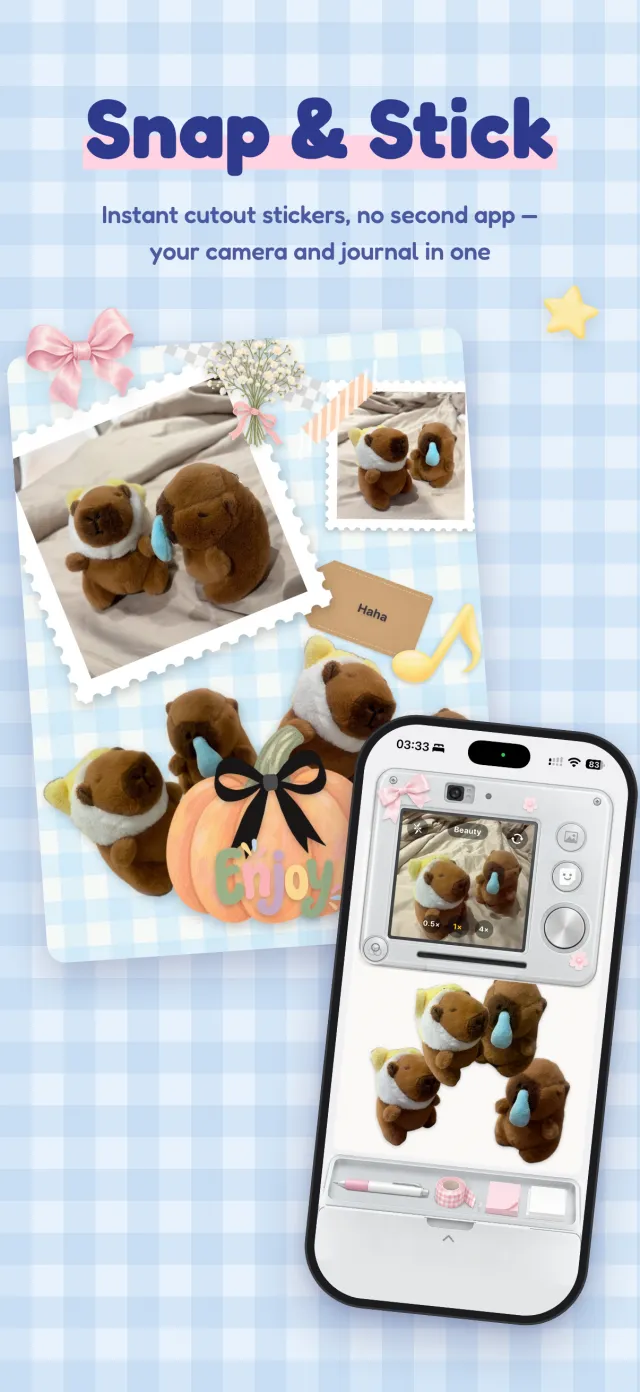
Snap & Stick
Suteki Stickie
Instant cutout stickers, no second app — your camera and journal in one
Suteki Stickie turns your phone into a sticker camera. Pull the cord at the top and the camera comes down. Press the shutter and your subject is cut out into a white-edged sticker that drifts onto the paper. Hold the shutter to record up to 5 seconds and make a sticker that moves.



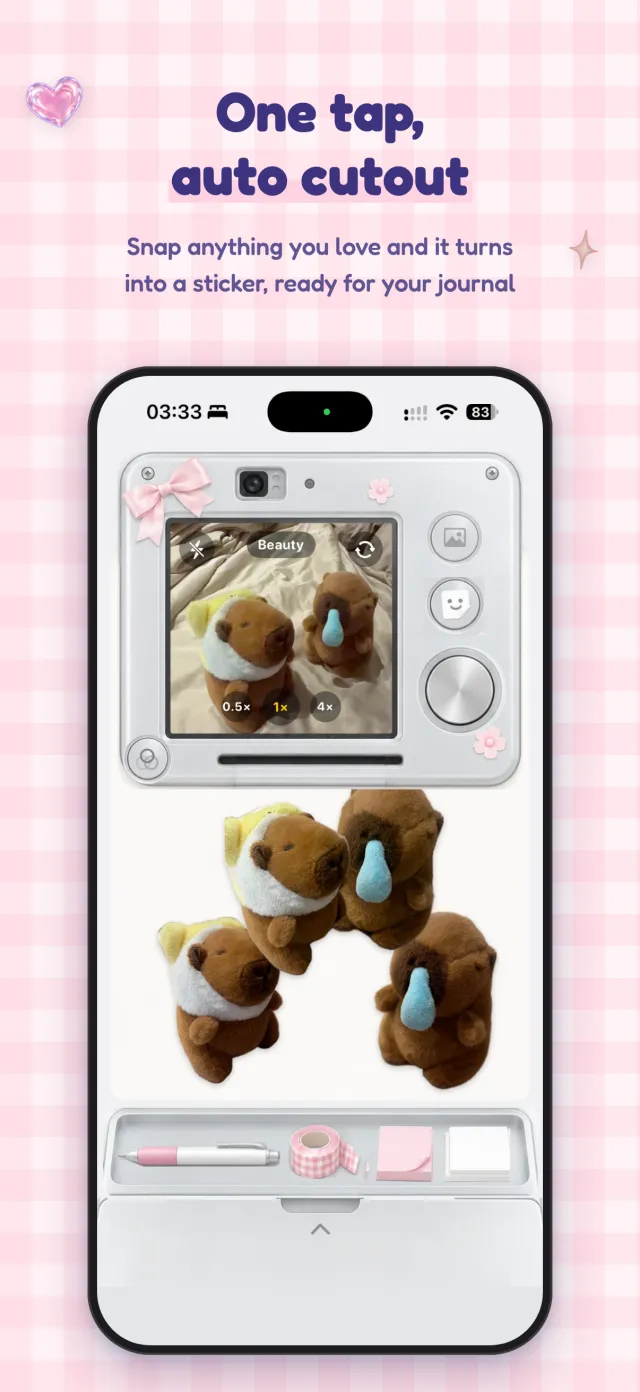
One tap,
auto cutout
Snap anything you love and it turns into a sticker, ready for your journal.
- Cuts out people, pets and things, with or without a white border
- Photo mode adds Polaroid, circle, stamp or torn-paper frames
- Flash, 0.5x / 1x / 4x zoom, front and back cameras — the volume buttons work as a shutter too
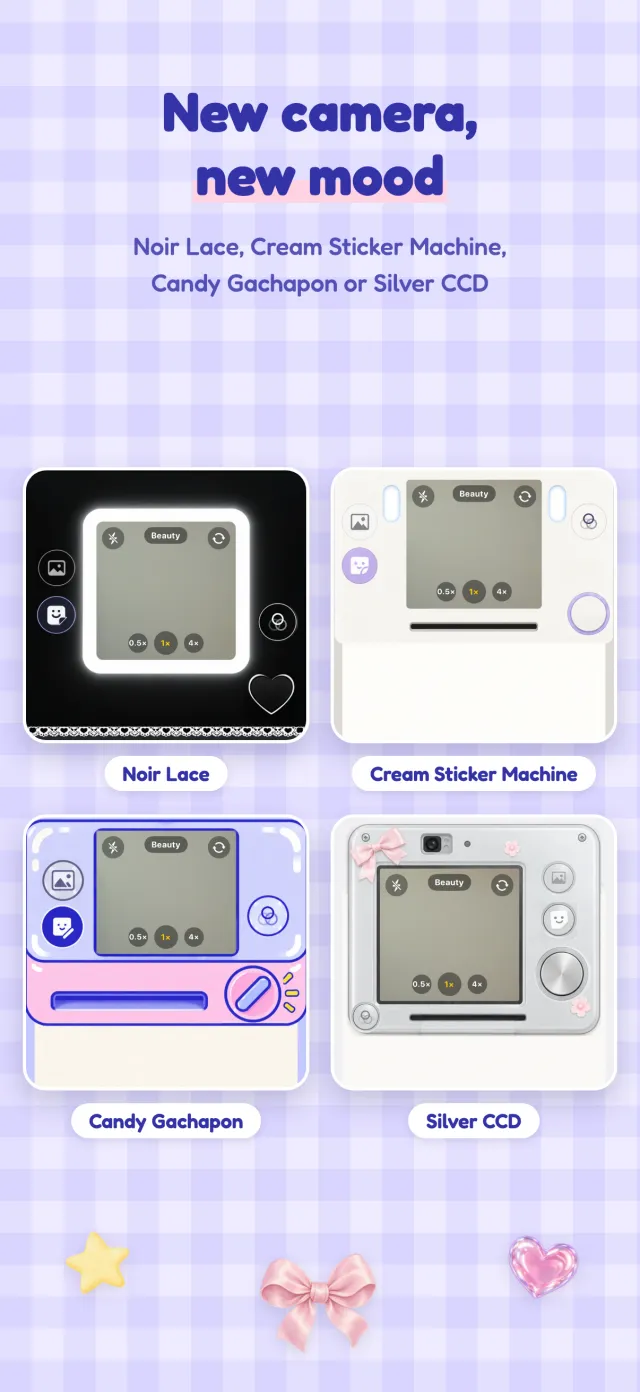
New camera,
new mood
Four camera looks — there’s one for every mood.
- Noir Lace, Cream Sticker Machine, Candy Gachapon and Silver CCD
- Switch any time; your pages stay just as they are
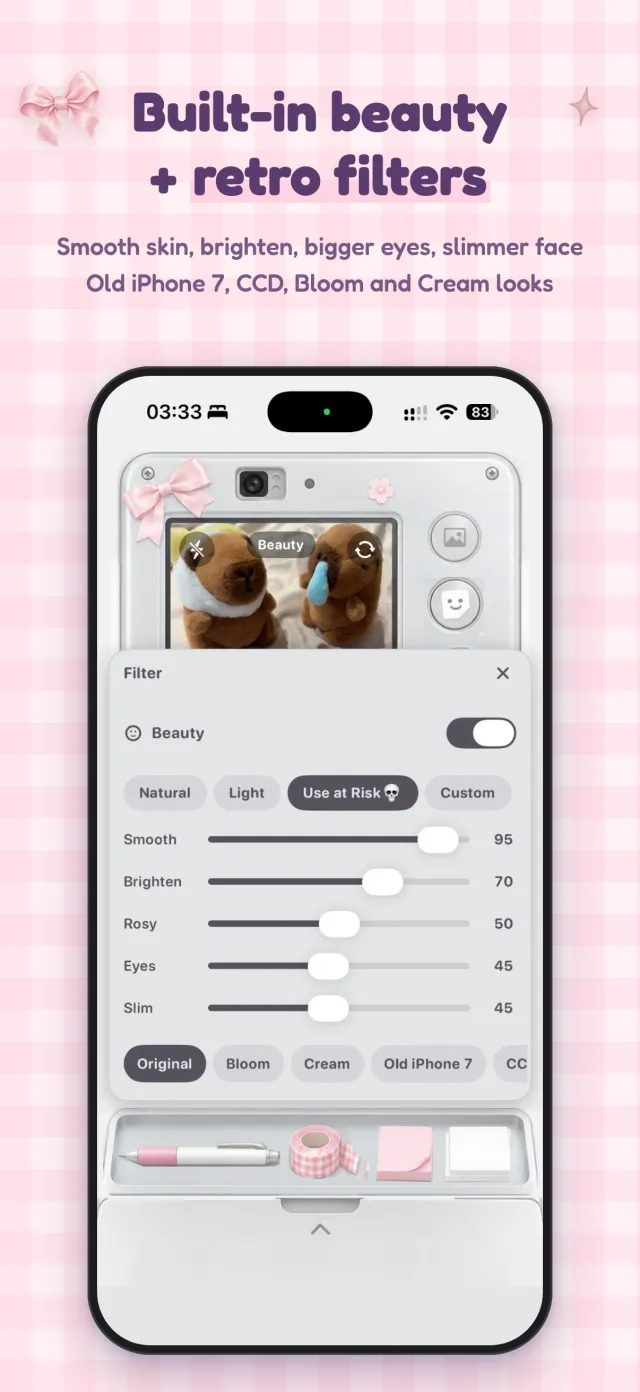
Built-in beauty
+ retro filters
Set your look before you shoot, and the sticker comes out ready.
- Smooth skin, brighten, rosy glow, bigger eyes and slimmer face, with one-tap presets
- Bloom, Cream, Old iPhone 7 and CCD looks
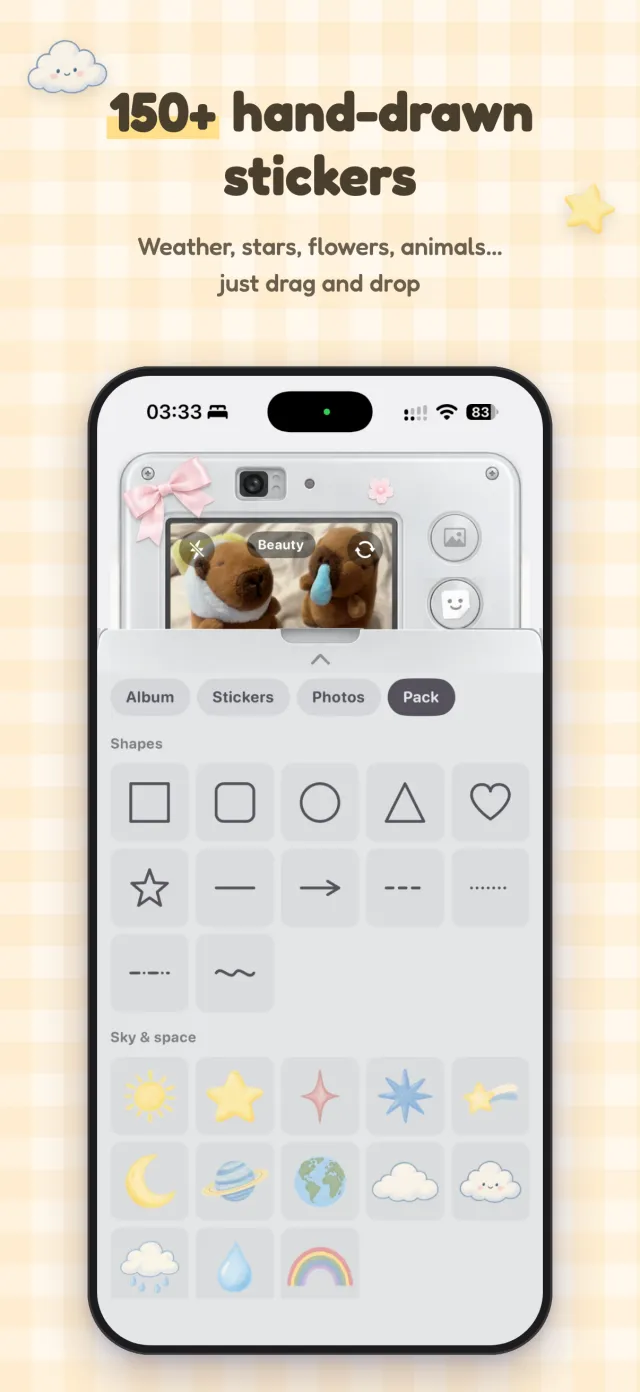
150+ hand-drawn
stickers
Weather, stars, flowers, animals… just drag and drop.
- More than 150 hand-drawn stickers to decorate with
- Printed papers like gingham, tiny hearts and confetti
- Travel, food and calendar templates that fill in as you shoot
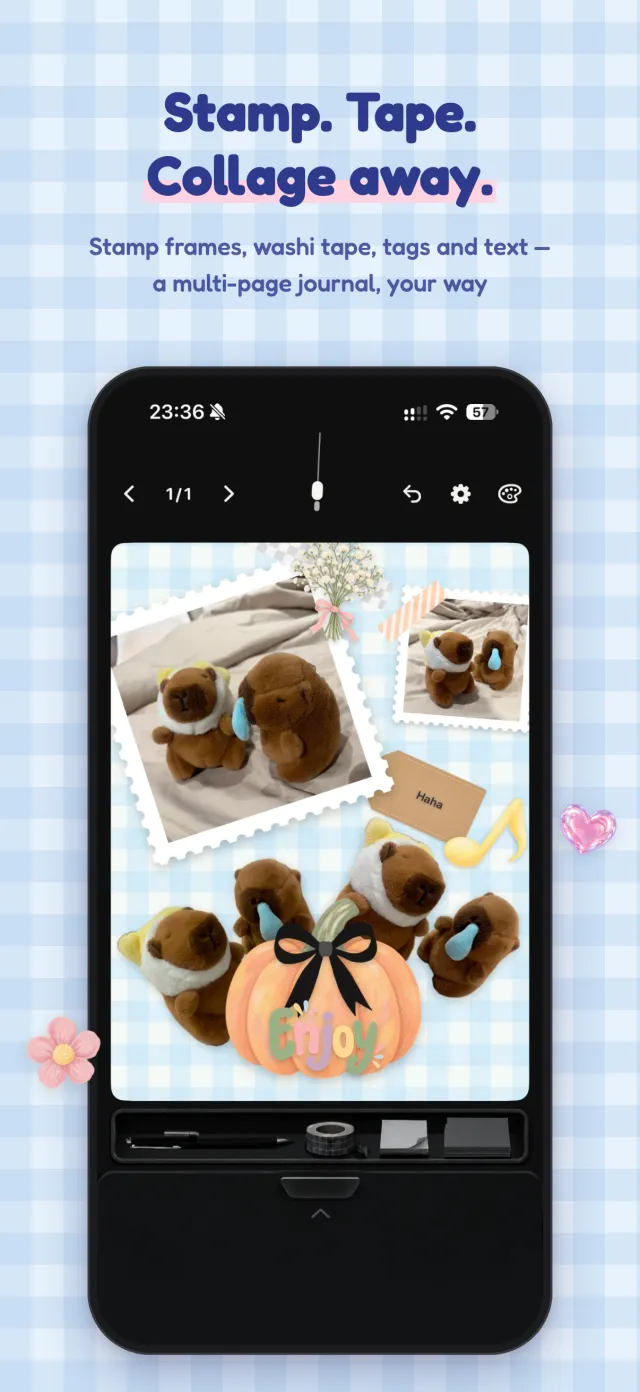
Stamp. Tape.
Collage away.
Collage like a real journal, across as many pages as you like.
- Stamp frames, washi tape, tags and text boxes
- Write by hand with a ballpoint, marker or pencil; stroke smoothing keeps finger writing neat
- Washi tape in gingham, stripes, dots or plain — recolour it, stretch, squash or trim it
- 8 memo notes and simple shapes (dashed, dotted, rounded, filled, see-through)
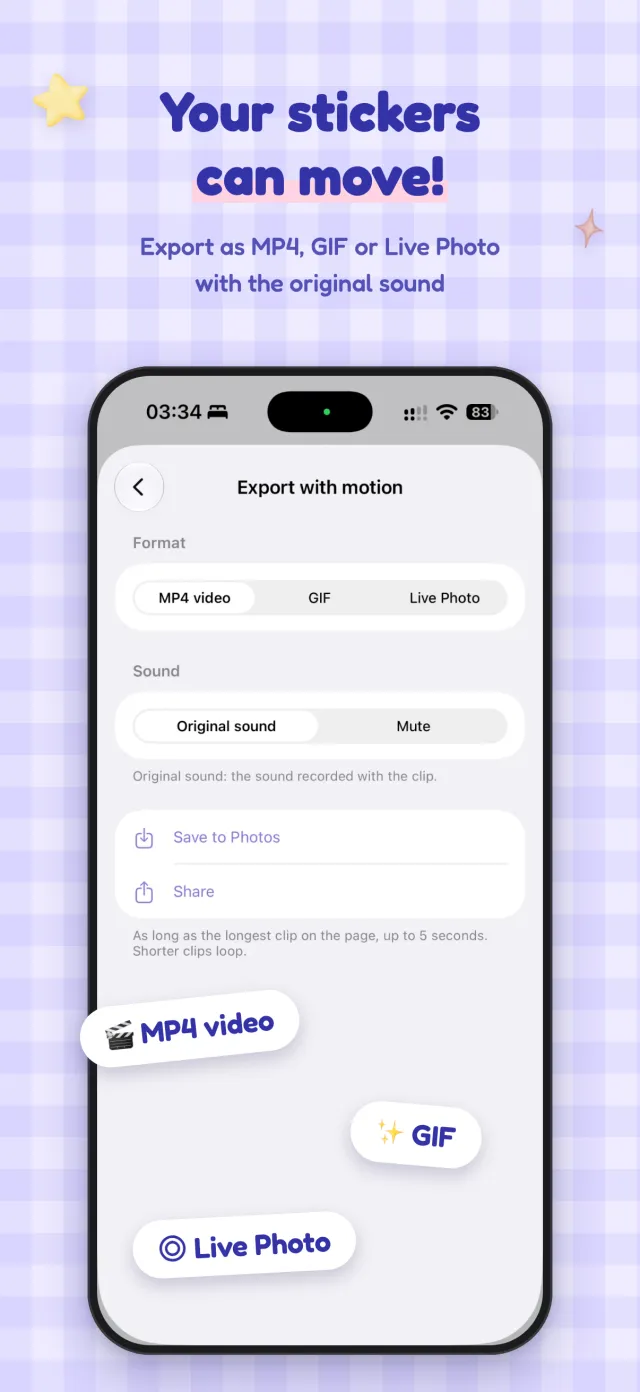
Your stickers
can move!
Record a clip or pick one from your album to make a moving photo or sticker.
- Stop-motion mode gives every frame a paper shadow and a little wobble
- Export as MP4, GIF or Live Photo, with the original sound

Organise and share
- A journal with many pages — swipe to turn, rename and reorder
- Long-press to cut, copy and paste
- Share a page as a high-resolution image or save it to Photos
- Add your stickers straight to WhatsApp, moving ones included

Your journal stays on your phone
Everything stays on your device. No account, no uploads, no tracking — just one non-personalised banner ad at the bottom.
Read the privacy policy →


Snap one, stick one — that’s today’s page.